[neo4j] neo4j Aura DB 사용 시작해보기 NoSQL 연결
neo4j
*공식사이트
https://neo4j.com/
Neo4j Graph Data Platform – The Leader in Graph Databases
Connect data as it's stored with Neo4j. Perform powerful, complex queries at scale and speed with our graph data platform.
neo4j.com
*개발자이므로 Start Free for Developers 클릭하여 시작합니다.
https://neo4j.com/cloud/platform/aura-graph-database/?ref=neo4j-home-hero
Neo4j Aura - Fully Managed Cloud Solution
Build apps with highly connected data and lightning-fast query performance.
neo4j.com
*Neo4j AuraDB Start Free 사용을 위하여 AuraDB Free $0 Forever > Start Free를 클릭합니다.
훠원가입 또는 로그인을 하게 되면 새로운 Instance 생성을 위한 페이지로 이동합니다.
https://console.neo4j.io/#create-database-wizard
Neo4j Aura
console.neo4j.io
*무료사용자 서비스를 이용이므로 잘 확인하고 진행을 합니다.
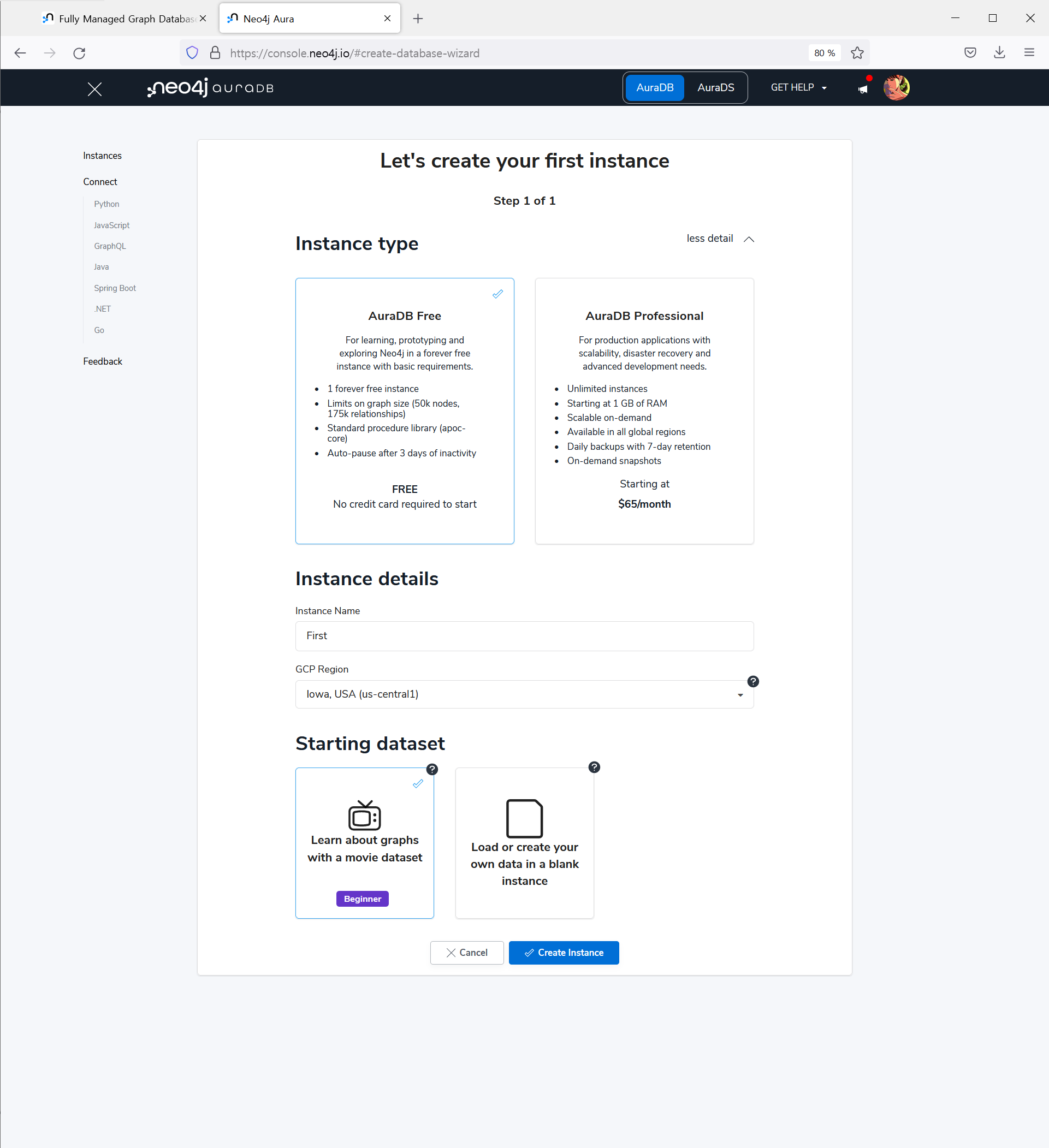
*서버는 3개가 있네요. 저는 아이오와 미국 서버를 선택하여 instance를 생성하였습니다.
*Username 과 password를 확인 및 보안 확인하면 생성 완료가 됩니다.

---
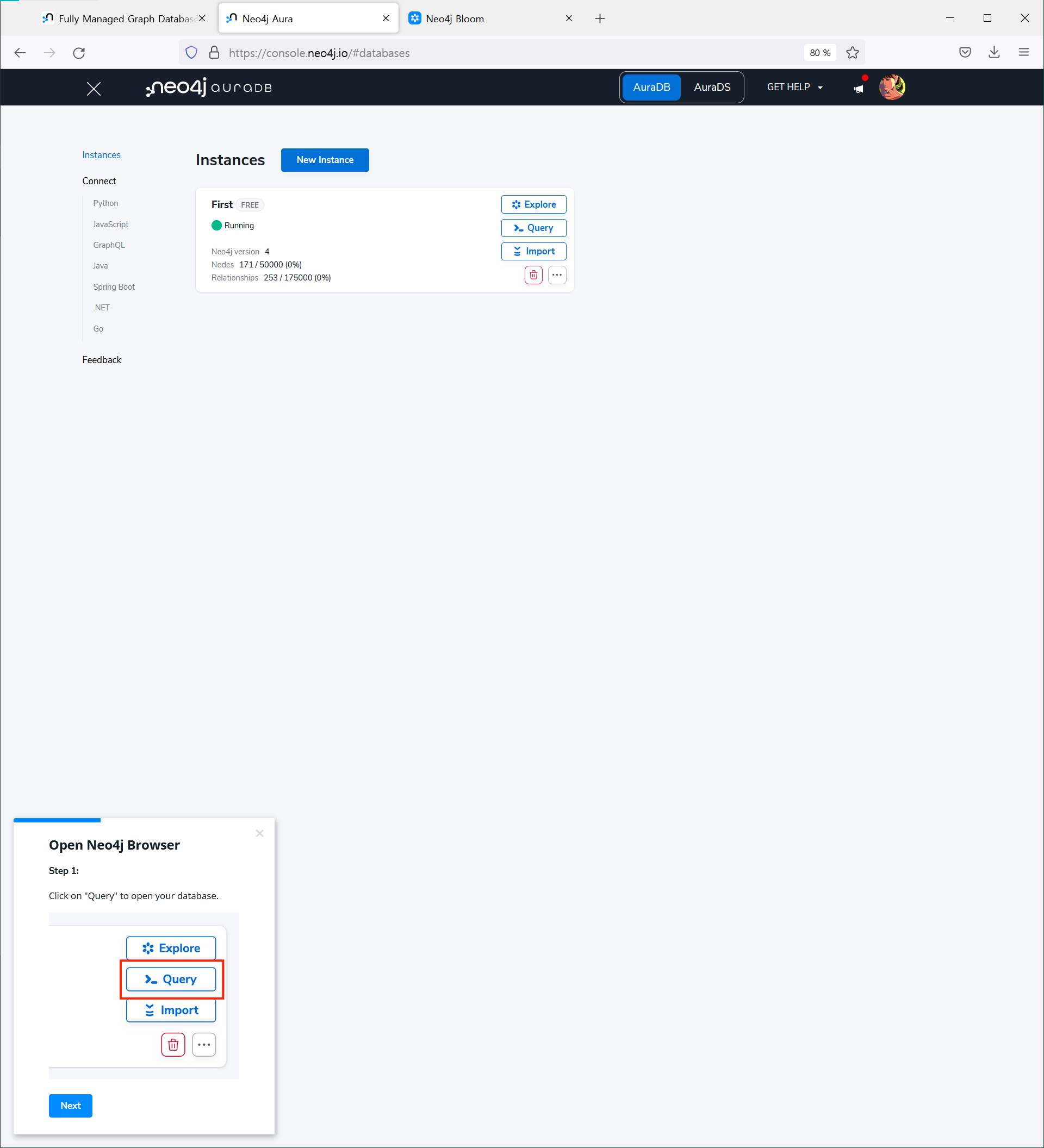
안내에 따라 스텝을 진행해 보겠습니다.
1.
Open Neo4j Browser
Step 1:
Click on "Query" to open your database.
2.
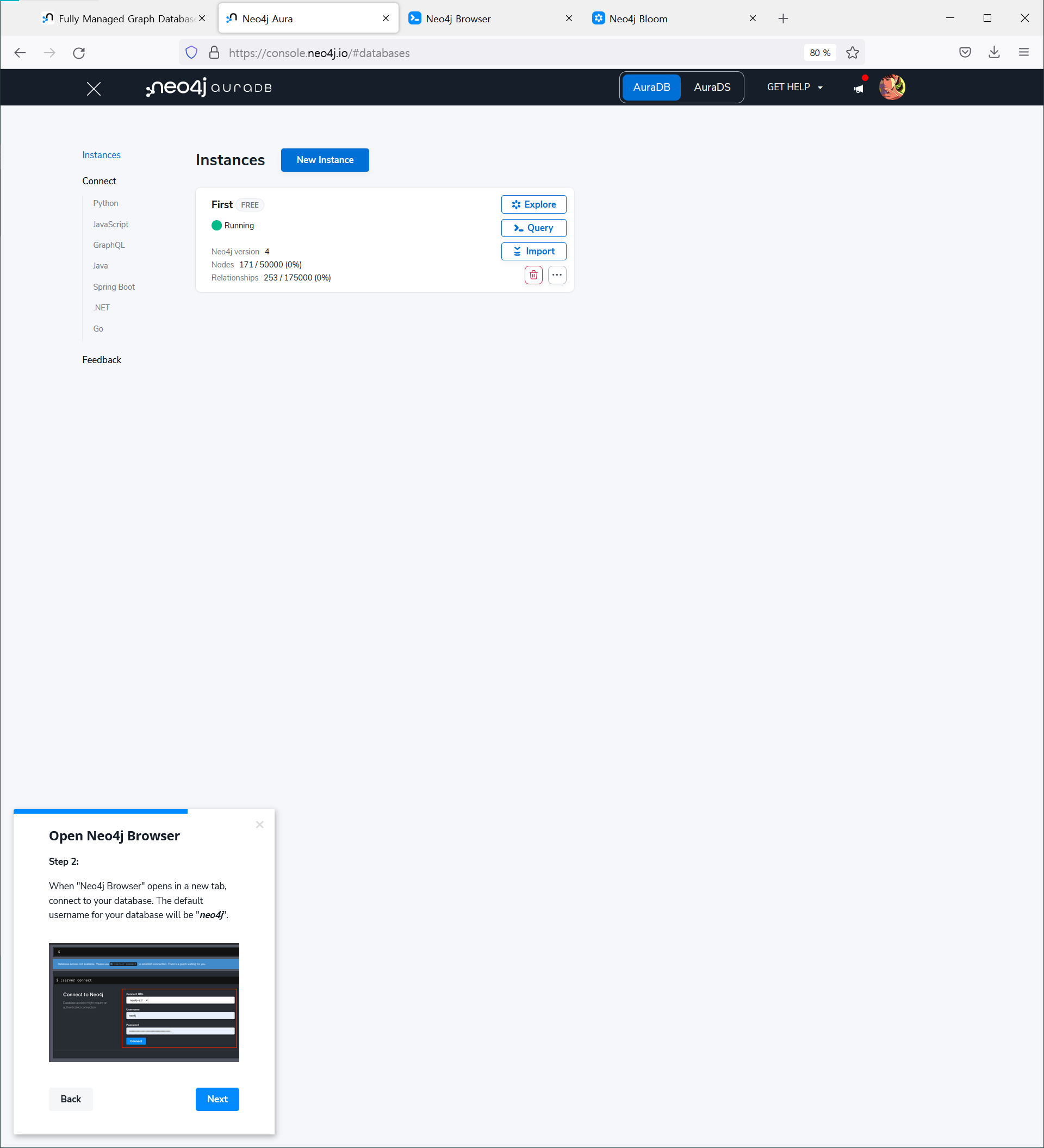
Open Neo4j Browser
Step 2:
When "Neo4j Browser" opens in a new tab, connect to your database. The default username for your database will be "neo4j".
3.
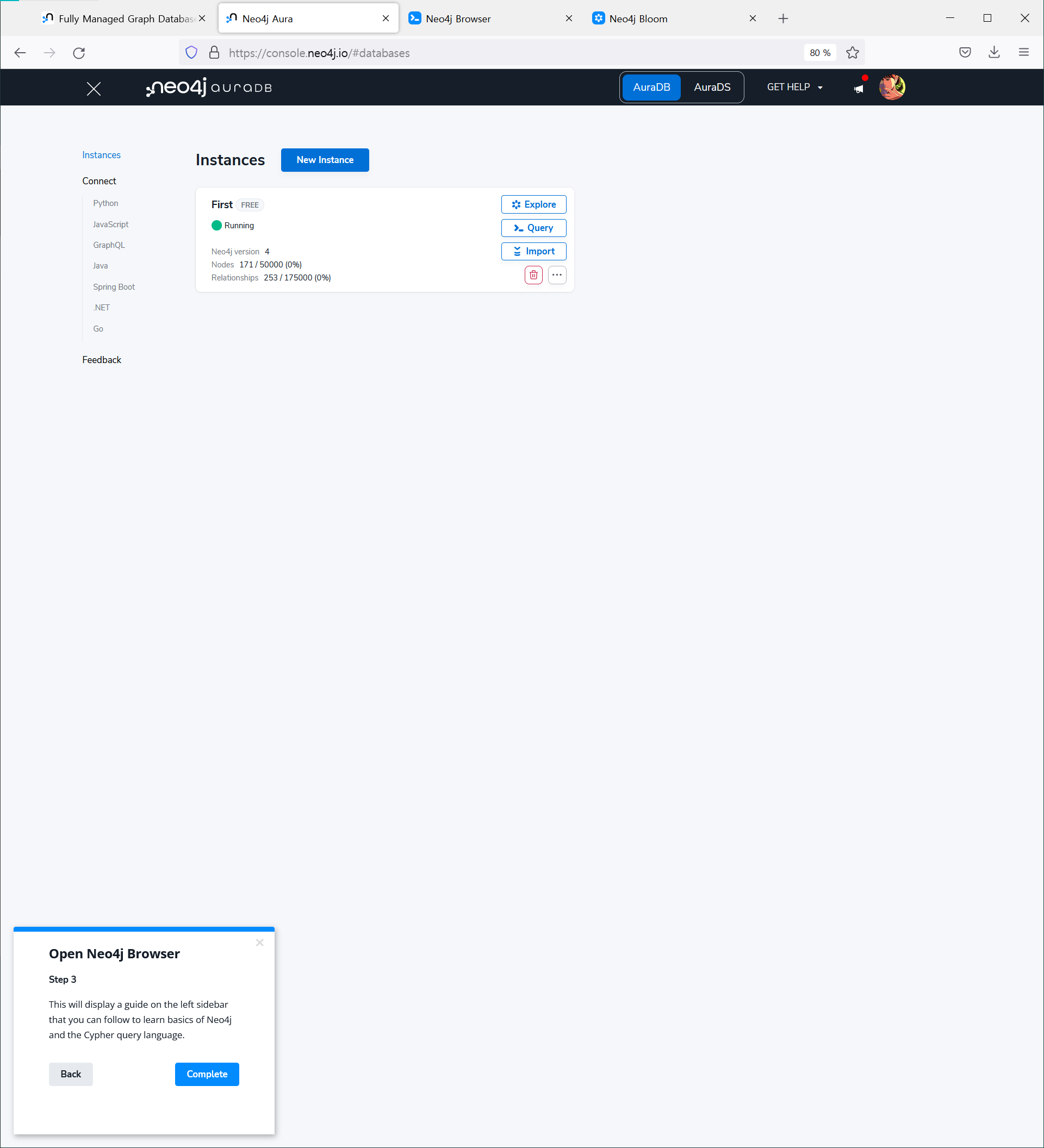
Open Neo4j Browser
Step 3
This will display a guide on the left sidebar that you can follow to learn basics of Neo4j and the Cypher query language.
위와 같은 방법으로 접속, 사용하면 됩니다.